.avif)

The shifts we’re watching - and why they matter
10 UI/UX Trends That Will Shape 2026
2025 saw one of the biggest interface shifts since the early smartphone era: generative UI went mainstream, and motion became lighter and more contextual. At this year’s WWDC, Apple introduced Liquid Glass with iOS 26, a visual language blending translucency, depth, and motion into something neither skeuomorphic nor flat.
The more interesting story, however, isn’t what happened in 2025 - it’s what these signals point to in 2026.
At Orizon, this shift isn’t theoretical. It’s already shaping how we design products, brands, and platforms for teams building toward 2026 - especially those navigating AI-first experiences, emerging platforms, and increasingly adaptive interfaces.
Here are the 10 UI/UX trends we believe will define the next year, created specifically to avoid the same surface-level predictions you’ve read everywhere else.
📍 Want to stay ahead of the trends? Let's make it happen→
1. Liquid Glass & the Rise of “Adaptive Transparency”
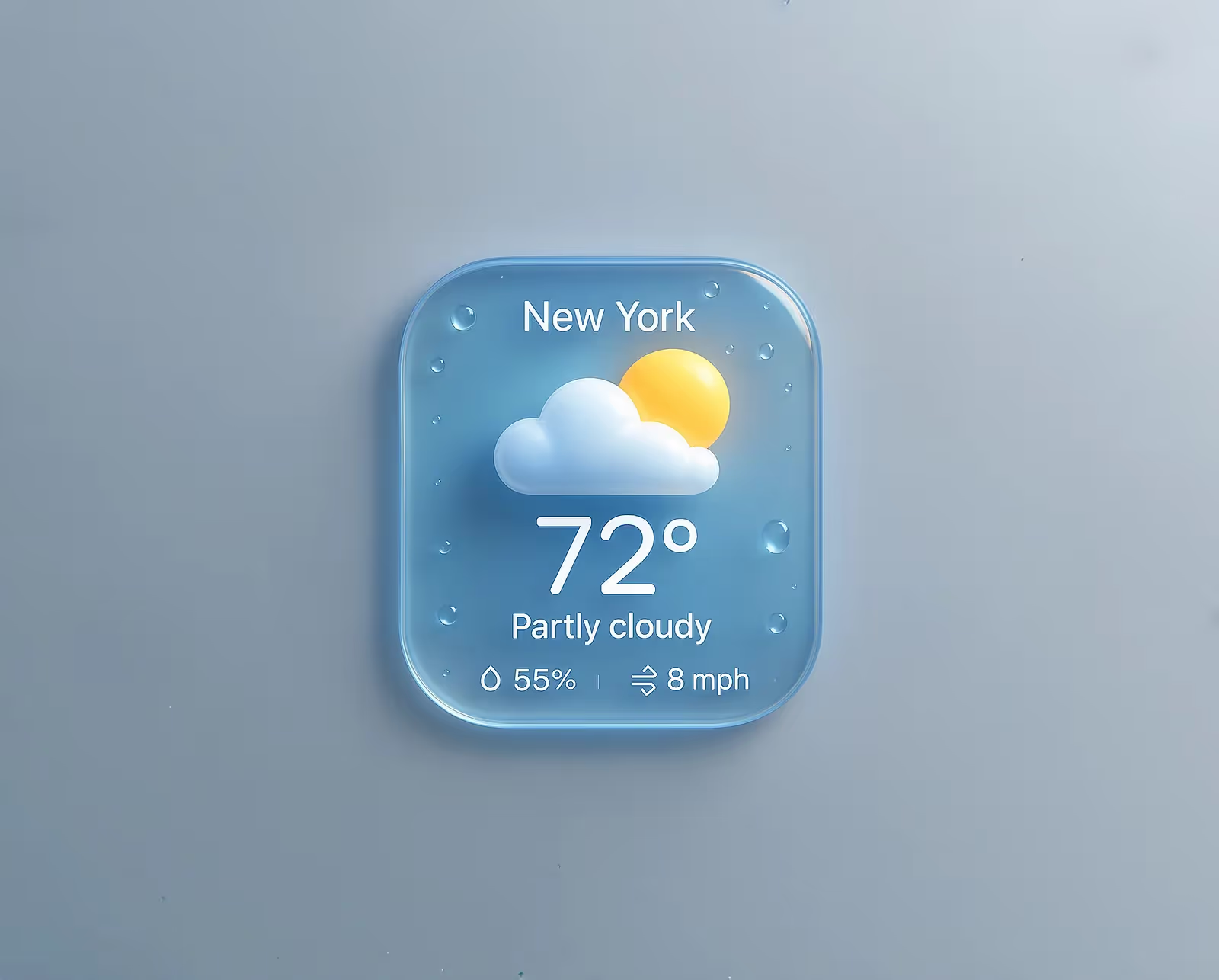
The introduction of Liquid Glass in iOS 26 marks a major shift: interfaces are no longer static layers, but they’re living materials. Liquid Glass responds to context, light, motion, and interaction. It distorts, refracts, and behaves like a physical element without fully becoming skeuomorphic.
But the real trend is broader: 2026 interfaces will adapt their transparency, depth, and light based on user context.
Expect:
- Navigation surfaces that subtly flex as content moves behind them
- Cards that feel fluid rather than rigid
- Surfaces that respond to motion with micro refraction
It’s the beginning of dynamic material design.
We’re already seeing this approach influence how we think about depth, hierarchy, and motion systems at Orizon - designing interfaces as living materials rather than static layers.
2. Ambient AI: Assistive Interfaces That Disappear
In 2026, AI won’t live behind a button. It will quietly live inside the UI.
Rather than directing users to “Ask AI,” products will:
- Fill fields based on intent
- Predict next actions
- Reorder UI components in real time
- Surface context without prompts
AI becomes an ambient layer, invisible unless needed, reducing cognitive load and shifting the focus from talking to AI to getting work done faster.
This approach is already shaping how we design AI-first UX at Orizon, embedding intelligence directly into the experience, not bolting it on as a feature.
3. Real-Time Personalization Becomes the Default, Not the Luxury

2026 will mark the shift from “user segments” to “moment-based personalization.”
Interfaces will adapt based on:
- Time of day
- Stress signals
- Behavior patterns
- Recent errors
- Gesture cadence
- Interaction style
Your product will have thousands of micro-variations depending on the moment.
It’s the beginning of situational UX.
It’s also where scalable design systems matter most - something we prioritize at Orizon when building products meant to evolve with their users, not freeze at launch.
4. Motion Becomes Functional, Not Decorative
We’ve moved past the era of dramatic animations. 2026 motion will be:
- Shorter
- Lightweight
- Meaningful
- Purpose-driven
You’ll see:
- Directional motion that teaches navigation
- Micro-motion that confirms commands
- Elasticity calibrated to physical expectations
Motion stops being a brand flourish and instead becomes a cognitive guide.
At Orizon, motion is treated as part of the UX logic - not decoration - reinforcing clarity, feedback, and flow.
5. Multi-Modal Interfaces (Touch + Voice + Vision + AI)
With the growth of AR devices and VisionOS-style interactions, we’re entering a blended era where users don’t stick to one input method.
2026 products will support:
- Touch flows
- Gesture flows
- Voice shortcuts
- AI-driven “do it for me” commands
The UI’s job becomes orchestrating these inputs gracefully, rather than forcing a single method, so products feel more like conversations than navigational maps.
This future demands thinking beyond screens - a mindset our team applies across web, mobile, spatial, and emerging platforms.
6. Ultra-Contextual Navigation (UI That Shrinks Itself)
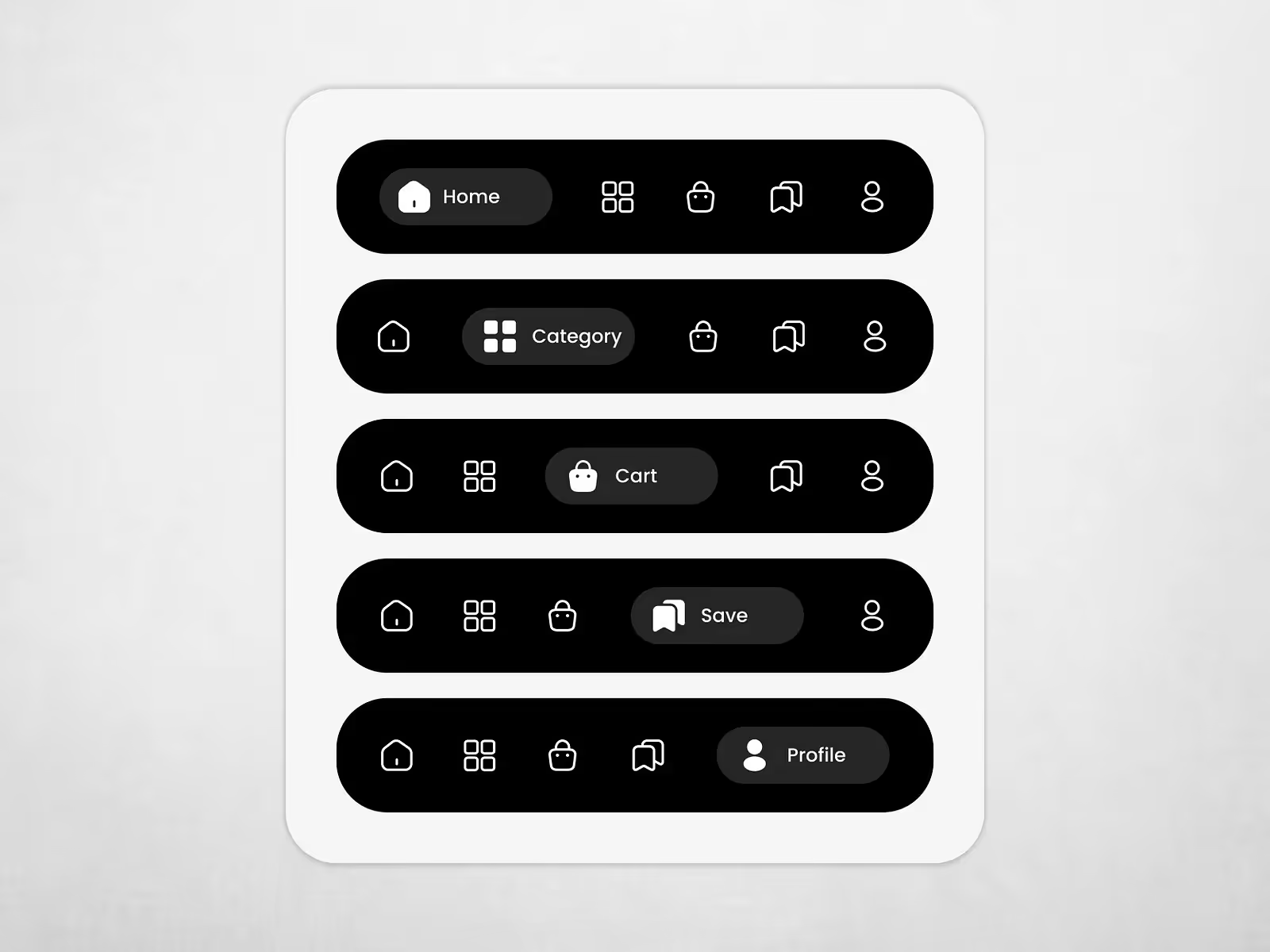
Navigation will no longer dominate the screen. In 2026, it will become contextual and reactive.
Examples:
- Toolbars that dissolve when not needed
- Menus that only appear at the moment of action
- Floating UI that docks itself depending on hand dominance
- Micro toolbars that appear near selected content
Our designers at Orizon see navigation becoming something you feel rather than see - an idea that’s already reshaping how we structure complex products.
7. AI-Assisted Creative Tools (Not Just AI-Generated Output)
Creators don’t want AI to create for them. They want AI to enhance their flow.
2026 creative tools will provide:
- “Explain why this isn’t working” critiques
- Real-time layout balancing
- Live color contrast coaching
- Dynamic grid suggestions
- Motion assistance based on intent
It’s not about replacing creativity, it’s about amplifying it.
This mirrors how the Orizon team approach AI in design: as a collaborator that strengthens human judgment, not replaces it.
8. Calm UX: Interfaces Designed to Reduce Anxiety

Users are burnt out. Notifications, feeds, dashboards - everything screams for attention.
2026 will usher in quiet interfaces that focus on:
- Fewer choices
- Gentle transitions
- Progressive disclosure
- Soft edges and subdued color palettes
- Predictable behavior (no sudden UI surprises)
Calm design becomes a competitive advantage and more teams are coming to us asking for restraint, clarity, and emotional intelligence - not louder interfaces.
9. The Post-Dashboard Era: Narrative Interfaces
Dashboards have dominated for a decade, but users increasingly want synthesis, not widgets.
2026 will bring:
- Smart timelines
- Narrative summaries
- “Here’s what changed today” reports
- Adaptive insights instead of static charts
Dashboards become stories, not spreadsheets and we’re already designing narrative-driven experiences that prioritize insight over information density at Orizon.
10. Anti-Perfect UI: Interfaces That Embrace Imperfections
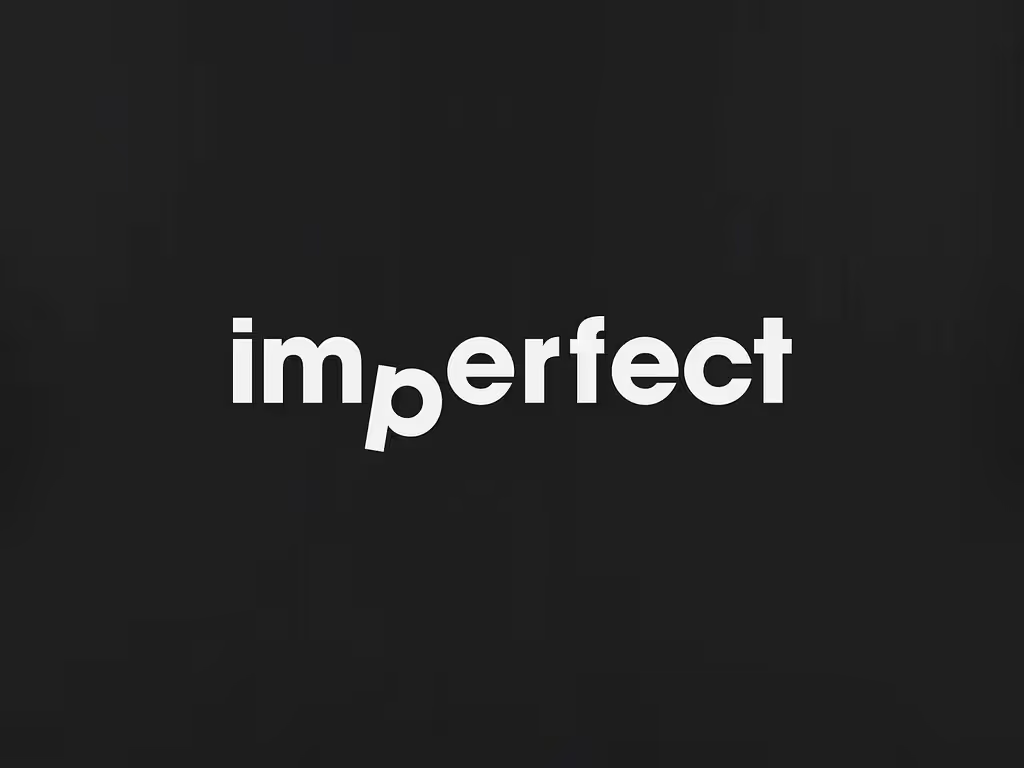
This is subtle but important. Users are beginning to trust interfaces that feel human, not sterile.
Expect:
- Playful micro-latency
- Organic motion curves
- Hand-drawn textures and imperfect shadows
- Micro-delays that feel intentional, not mechanical
Not everything needs to be pristine. The future of UI has personality.
And personality, when intentional, builds trust - something our team believes will matter even more as interfaces become more autonomous.
These trends aren’t isolated ideas - they’re interconnected signals shaping how modern products are designed, built, and experienced.
The Bigger Theme: 2026 Is the Year UI Becomes Alive
Across all 10 trends, there’s a single shared pattern: Interfaces are moving away from fixed layouts and toward dynamic, adaptive, living systems.
2026 UI/UX is:
- Less about screens and more about behavior
- Less about layout and more about sensation
- Less about features and more about moment-to-moment clarity
And with innovations like Liquid Glass leading the shift, we’re entering a period where digital surfaces finally feel as responsive, expressive, and intuitive as the humans using them.
Designing for 2026 starts now
At Orizon, we partner with ambitious teams to design adaptive, AI-first products, brands, and platforms built for what’s next.
If you’re thinking beyond today’s UI, let’s talk 🚀
Header image by Richard Horvath on Unsplash.

Keep Reading
More from Orizon

Let's Talk
Design done right and fast by
people you can trust.


%20(1).avif)




.svg)


.svg)