.avif)
.avif)
Static UI is over.
Generative UI Is Here: Why 2026 Is the Year Interfaces Become Adaptive
Your product manager just watched a competitor's dashboard rearrange itself in real time for a new user. Different layout, different priorities, different navigation, all generated on the fly. And now they're in your Slack asking why yours still looks the same for everyone.
Welcome to the shift. 30% of new applications will use AI-driven adaptive user interfaces by 2026, up from less than 5% two years ago. 40% of enterprise apps will have task-specific AI agents baked in by the end of this year. By 2028, roughly one-third of all user experiences will move from native apps to agentic front ends entirely.
Static UI isn't going away tomorrow. But the products winning right now are the ones that stopped treating "the screen" as a fixed thing. This post is about what that actually means, and what to do before your product looks dated to the users who matter.
🧭 Building an AI product that needs interfaces smarter than a chat window? Let's talk →
.avif)
What Generative UI Actually Is
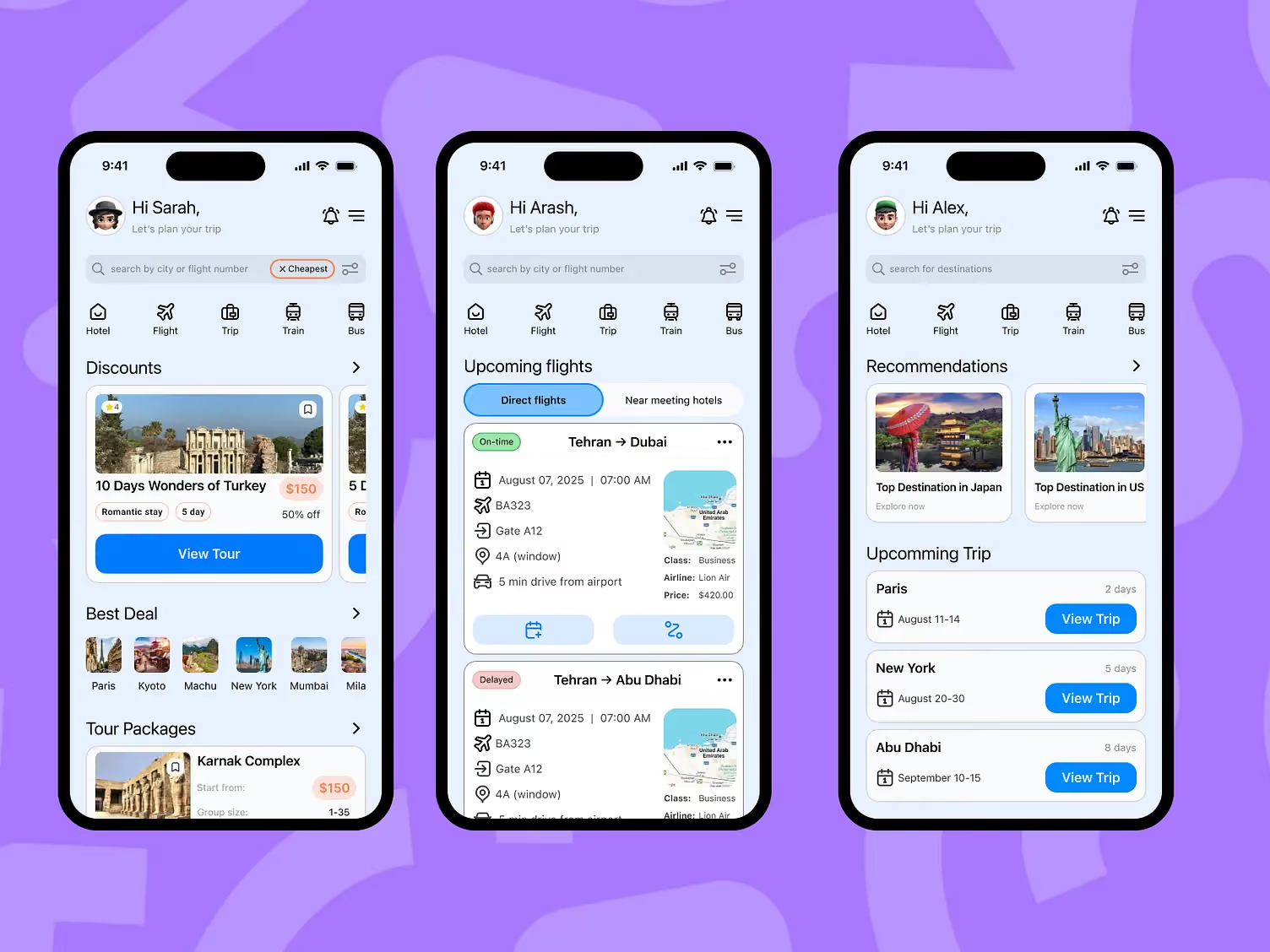
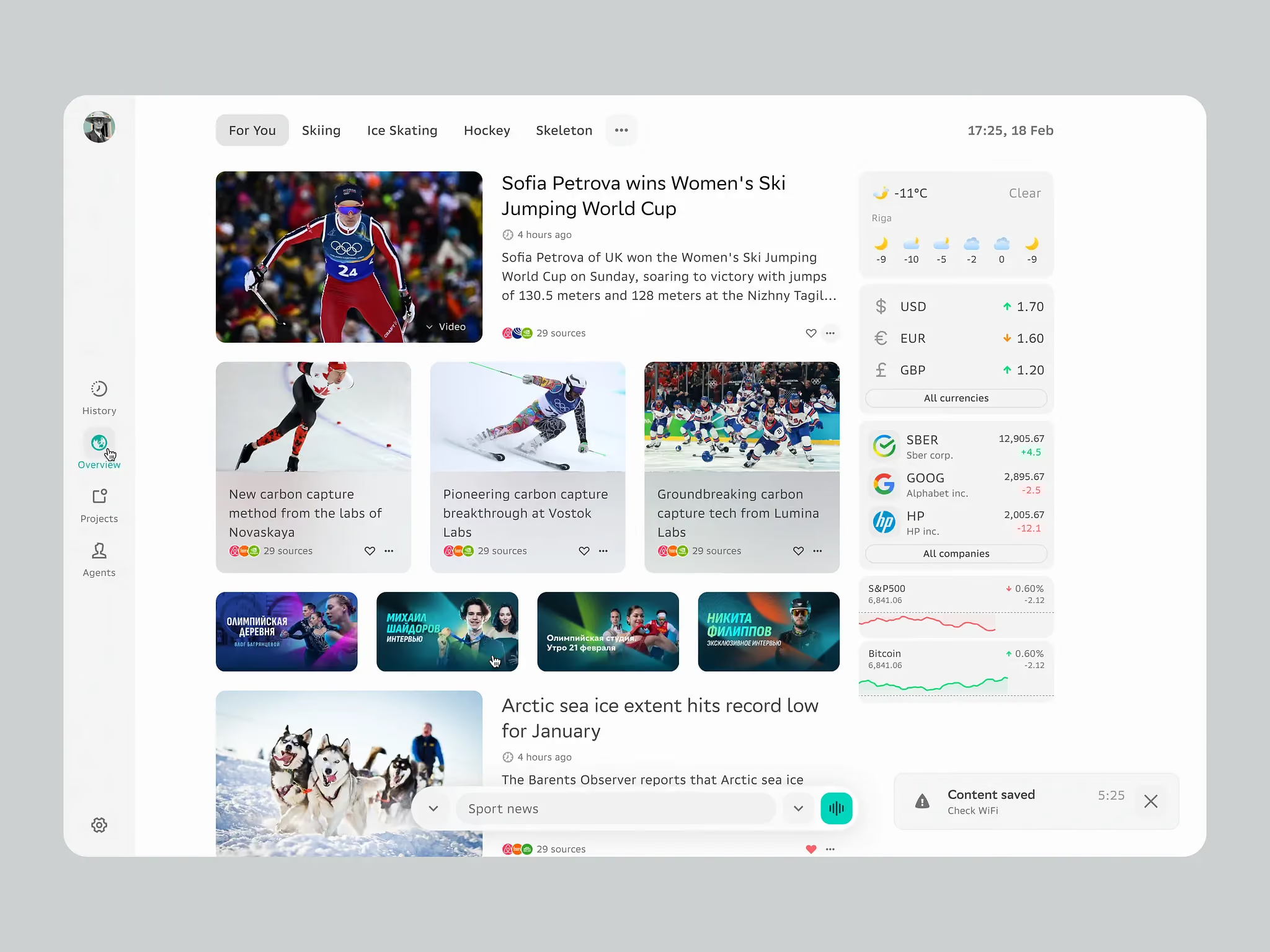
Generative UI (GenUI) is a pattern where parts of the interface get generated, selected, or controlled by an AI agent at runtime, instead of being fully predefined by developers. Google describes it as giving models "a rich, custom, and interactive user experience that adapts to any prompt."
Personalization changes what content you see. GenUI changes the interface itself. Different navigation. Different layout. Different components entirely, assembled in the moment based on who you are and what you're trying to do.
The frameworks doing this work now: CopilotKit for React apps. Vercel AI SDK for streaming generative interfaces. Google's A2UI for cross-platform. Thesys/Crayon for fast prototypes. Google GenUI SDK for Flutter for mobile. MCP (Model Context Protocol) for the tool-calling layer underneath it all. Figma Make and Figma Sites have started shipping the design-side version of this pattern.
It's not experimental anymore. It's a stack.
Where the Real Value Is (And Where It Isn't)
Not every interface should adapt. That's the part most GenUI hype pieces skip.
Where It Actually Wins
The clearest wins right now are in interfaces where user context genuinely changes what "good" looks like:
- Enterprise dashboards where a CFO, a controller, and a financial analyst need completely different views of the same data
- Healthcare tools where a cardiologist and a GP need different patient summaries from the same record
- AI agent products where the agent's next output is unpredictable, so the UI has to render whatever the agent decides is useful
- Onboarding flows where a technical founder and a non-technical marketer need entirely different paths through the same product
In these cases, static UI is genuinely worse. You're either serving one persona well and everyone else badly, or building 12 role-specific screens and paying to maintain all of them.
Where It's a Distraction
Marketing sites. Checkout flows. Anything that needs to be A/B tested and legally auditable. Anything where predictability is the feature. GenUI in a checkout is a great way to tank conversion and get a compliance email.
The founders getting this right in 2026 aren't making everything generative. They're picking the two or three surfaces where adaptation actually pays off, and leaving the rest alone.
Where Generative UI Actually Breaks
This is the part you need to read before you ship anything.
Users Get Lost Fast
A UI that changes without warning is a UI that has to be relearned every session. If your users can't predict where the "export" button will be, they'll stop looking. Accessibility issues compound this. Screen readers, keyboard navigation, and assistive tech all assume consistent structure. Regenerate the layout on every load and you've quietly locked out a chunk of your users.
The Trust Layer Is Fragile
Users need to understand why the interface changed. If it feels arbitrary, it feels broken. If it feels arbitrary and wrong, they'll assume the whole product is unreliable. Jakob Nielsen learned this the hard way in 2024 when he claimed GenUI would replace accessibility work, then partially walked it back a year later.
Your Design System Is No Longer Optional
GenUI without a strong design system is chaos. The AI needs constraints: what components exist, how they compose, what states they support, what "on-brand" means. Every AI-generated screen has to feel like it belongs to the same product. Without a design system doing that work, you get 40 screens that look like 40 different apps.
We've worked with hundreds of product teams at Orizon on exactly this problem. The pattern we see: teams get excited about GenUI, skip the design system foundation, and end up with a product that feels less coherent than the static version they replaced.
The Evaluation Problem Is Real
Traditional UX metrics stop working. Time on page means nothing if the page is different every time. A/B testing gets harder when there's no fixed "A." Founders shipping GenUI without new measurement infrastructure are essentially flying blind.
The Founder Playbook for 2026
Here's how the smartest teams are approaching this right now.
Start With One Surface
Pick the single interface where user context matters most. Usually a dashboard, an onboarding flow, or an agent-driven output. Make that generative first. Prove it works. Then expand. Trying to make your whole product adaptive in one push is how these projects die.
Invest in the Design System First
The design system is the operating system for GenUI. Components, tokens, states, patterns, constraints. If yours is thin, fix that before you build any generative surface. This is where our team spends most of our time with clients moving into this space: making sure the foundation can hold what gets built on top of it.
Design the Rules, Not the Screens
The designer's job shifts. Instead of designing 12 dashboard variants, you design the rules that generate them: what components can appear, when, in what order, under what conditions. It's a real skill shift, and it's why "designers are getting replaced by AI" gets the story exactly backwards. Senior design judgment matters more here, not less.
Give Users a Manual Override
Every generative surface needs an escape hatch. Users need to be able to pin, reorder, or reset the layout when the AI gets it wrong. Products that don't ship this feel invasive. Products that do feel intelligent.
Track New Metrics
Intent completion rate. Adaptation acceptance. Override frequency. These matter more than session duration once your interface stops being fixed. Set them up before you ship, not after.
Key Takeaways
- 30% of new applications will use AI-driven adaptive UI by 2026, up from less than 5% two years ago. This is not a trend, it's a stack.
- 40% of enterprise apps will have task-specific AI agents by end of 2026. By 2028, one-third of user experiences will move to agentic front ends.
- The frameworks are production-ready: CopilotKit, Vercel AI SDK, Google A2UI, Thesys/Crayon, Google GenUI SDK, MCP.
- GenUI wins where user context genuinely changes what "good" looks like: enterprise dashboards, healthcare tools, AI agent outputs, onboarding.
- It fails on marketing sites, checkouts, and anywhere predictability is the feature.
- The design system is the operating system for GenUI. Without a strong foundation, adaptive UI feels less coherent than static.
- Designers shift from designing screens to designing rules. This is a level-up, not a replacement.
- Track new metrics: intent completion, adaptation acceptance, override frequency.
Ready to move your product from static screens to adaptive systems?
Contact us today 🚀
FAQs
What is Generative UI (GenUI)?
GenUI is a pattern where parts of the interface are generated, selected, or controlled by an AI agent at runtime, instead of being fully hard-coded by developers. The layout, components, and navigation assemble themselves in real time based on user context, intent, and history.
How is Generative UI different from personalization?
Personalization changes what content you see (products, articles, recommendations). GenUI changes the interface itself: layout, navigation structure, which components render, what complexity level shows. Personalization swaps values into a template. GenUI redesigns the template.
Will Generative UI replace designers?
No. It shifts designers from crafting individual screens to architecting the rules that generate screens. That takes more judgment, not less. The market for senior design work in this area is heating up, not shrinking.
What industries will adopt GenUI first?
Enterprise software (role-based dashboards), healthcare (adaptive patient views), AI agent products (unpredictable outputs need adaptive UI), and complex B2B tools where different personas need different views of the same data. E-commerce and consumer social will follow, but slower.
What are the risks of bad Generative UI?
Users get lost when layouts change unpredictably. Accessibility breaks when generated markup skips semantic HTML. Trust erodes when adaptations feel arbitrary. A/B testing and legal auditability get harder. Ship GenUI in the wrong place and you'll actively damage the product.
How should companies start with Generative UI?
Pick one surface where user context matters most (usually a dashboard or an agent output). Make that generative first. Prove it works. Expand from there. Don't try to make the whole product adaptive in one push.
What frameworks power Generative UI in 2026?
The main ones: CopilotKit and assistant-ui for React runtimes. Vercel AI SDK for streaming. Google A2UI for cross-platform. Thesys/Crayon for fast prototyping. Google GenUI SDK for Flutter. MCP (Model Context Protocol) as the tool-calling standard underneath.
What metrics should we track for Generative UI?
Traditional metrics like time-on-page break because the page changes. Track intent completion rate (did users accomplish their goal), adaptation acceptance (do they interact with what the AI suggested), override frequency (how often do they revert), and consistency violations (does the output stay on-brand).
Can Generative UI work with accessibility standards?
Yes, but only if you design for it explicitly. AI-generated layouts have to include semantic HTML, ARIA labels, keyboard navigation, and screen reader support. Skip this and you'll ship a product that quietly locks out a chunk of your user base.
How do design systems support Generative UI?
The design system becomes the operating system. Component libraries define what can be generated. Design tokens set the boundaries. Interaction patterns constrain the variations. Without a strong system, GenUI feels less coherent than static UI. This is the foundation work most teams underestimate, and it's where we spend most of our time with clients moving into adaptive design.
What skills do designers need for the GenUI era?
Systems thinking (how components compose). Logic design (rules for when adaptations trigger). Pattern recognition (what user intents look like in data). Constraint definition (guardrails so the AI stays on-brand). Traditional visual and interaction design still matter, they just apply across infinite variations instead of one fixed screen.
Can Orizon help us move from static UI to generative UI?
That's the exact pattern we're seeing most now. Teams come to us with an AI product that's outgrown its static screens, and we help them build the design system, pick the right surfaces to make generative, and set up the measurement so they can actually tell if it's working. If that sounds like where you are, book a call.

Keep Reading
More from Orizon

Let's Talk
Design done right and fast by
people you can trust.


%20(1).avif)




.svg)


.svg)